
The USW interface is an optional extension of the ISA Dialog Manager (IDM) that allows users to implement their own user interface elements. This enables the integration of custom GUI objects, which can then be used in the same way as existing IDM objects.
Key features
- Integration of custom, simple or composite GUI objects.
- Geometry and layout management via the ISA Dialog Manager – just like with standard GUI objects.
- Support for inheritance with defaults, models, and instances, also for user-supplied widgets.
- Integration into the parent-child relationships of the object hierarchy, just like with standard GUI objects.
- Support for user objects through the graphical IDM editor and the IDM Eclipse plugin.
Usage
The USW interface is the IDM's cross-platform interface for integrating custom GUI objects into user interfaces developed with the IDM.
Although individual GUI objects must be implemented for each platform, their use within the user interface is the same on all platforms and largely corresponds to the use of existing IDM objects.

- The IDM USW interface for integrating individual GUI objects (User Supplied Widgets)
For example, you can also create custom attributes for USW objects. This allows you to implement both simple GUI objects and composite objects with multiple child objects.
Functions
In your dialogs, you can use custom GUI objects almost exactly the same way as the standard IDM objects. The IDM inheritance mechanisms are also available for your own custom objects.
Furthermore, the IDM handles geometry management. You don't need to implement the necessary attributes yourself - they are provided automatically by the IDM.
The IDM development tools also support custom GUI objects. These can be instantiated in the graphical editor just like standard objects, and their attributes can be edited in the property dialogs. The IDM Eclipse plugin's content assistant also provides code completion suggestions for custom GUI objects.
In addition, the IDM already offers a number of pre-built USW widgets that you can use directly in your applications:
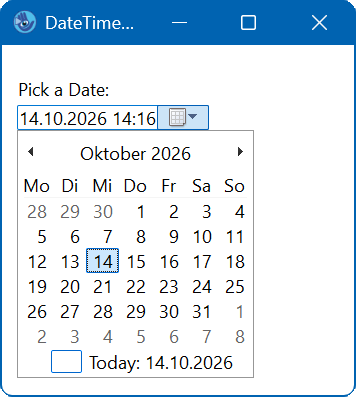
dmw_datetime provides a simple and intuitive way to input date and time values. It can display date or time values, or both, in various formats. In addition to keyboard input, the user can modify the values, for example, by selecting a date from a calendar or adjusting it using spin buttons.
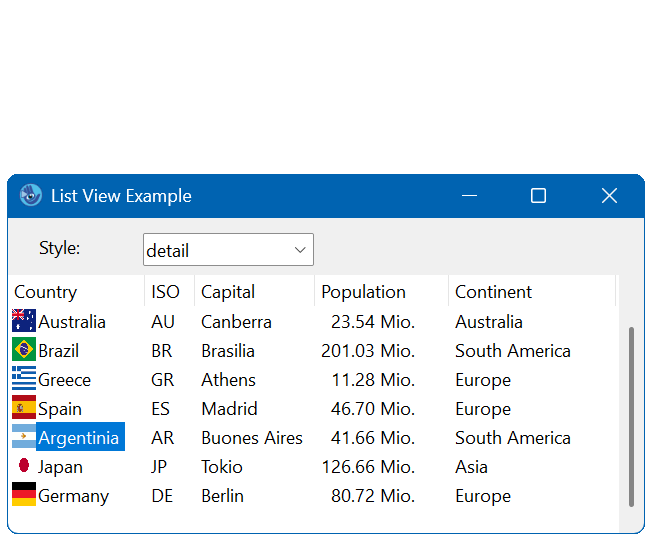
dmw_listview is an extended list object that supports various display modes. The object is primarily known from "Windows Explorer," where it is used to display the directories of the file system.
dmw_listview
New USW objects for Qt:
Since version A.06.03.e three new USW objects are available for IDM under Qt, which you can use in your applications with the USW option:
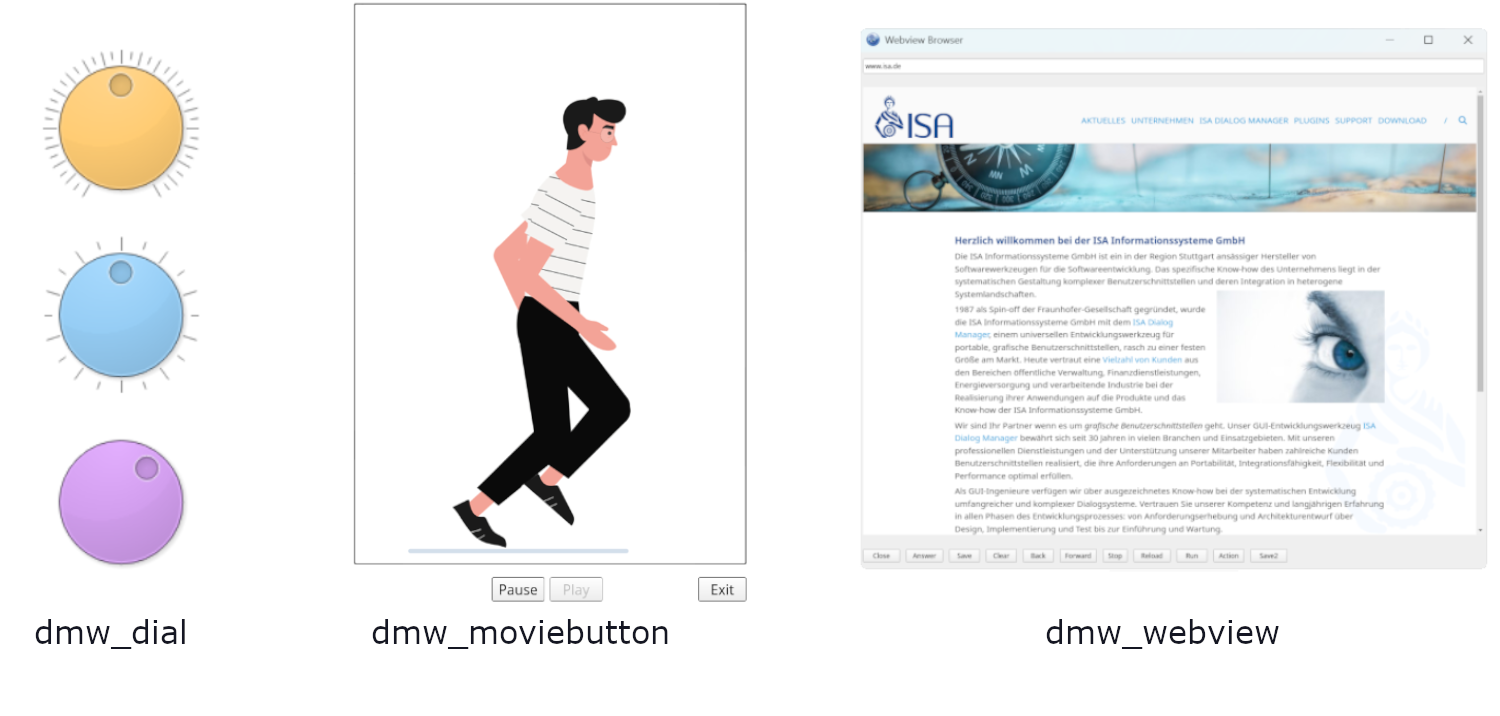
dmw_webview This is part of the USW option of the IDM. It is used to display web pages and HTML content.
dmw_moviebutton is provided via the USW option for the IDM. It enables the display of animated GIF and SVG files.
dmw_dial represents a rotary control with defined minimum and maximum values – similar to a volume control. The object is comparable to a scrollbar, but has a different visual form and allows for rotation. dmw_dial is operated via the keyboard or a "grip recess".
It is just as easy to use as you are used to with the ISA Dialog Manager.
Dialog D
window Wi
{
  child dmw_webview WvView
    .url "https://intra.teapot.html";
    on finish {
      StStatus.text := "Loaded.";
    }
  }
  child statictext StStatus {}
}
The following video shows, using a simple example, how dmw_webview can be used to integrate a website into your application and control it using the rule language.
You can find further details in our Documentation.
Examples
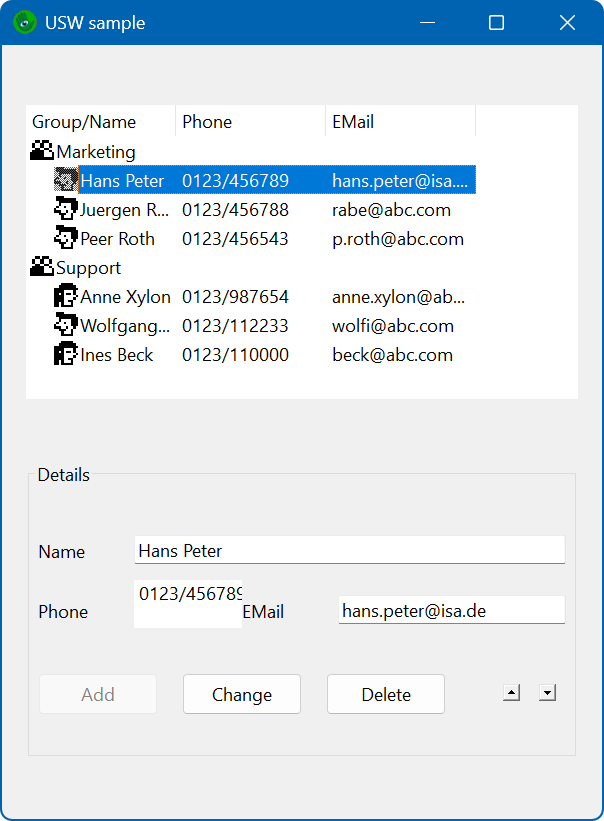
The delivered IDM distribution contains further example dialogs that illustrate the possibilities of the USW option and are helpful as a starting point for your own implementations.
Availability
The USW interface is available as an optional extension for the basic licenses of the ISA Dialog Manager under Windows, Unix and Linux (see Platforms).
Services
We are happy to support you with our services related to the development of graphical user interfaces. Together with you, we design and implement custom components that are optimally tailored to the requirements of your applications.